Finding your Go Account Wallet ID
To find your Wallet ID, first navigate to the Go Account page using any of the methods outlined in the Accessing Your Go Account section.
Once on the Go Account page, you can locate your Wallet ID in two ways:
At the top of the page — Your Wallet ID is displayed at the top of the Go Account page.
Via the Ellipsis Menu — Click the Ellipsis Menu (⋯) in the top-right corner and select Go Account Information.
Managing Bank Account Connections
To transfer fiat in and out of your Go Account you will need to add a bank account. You can do this in two ways:
Via Settings — Click Settings in the top-right corner, then navigate to Manage Enterprise > Bank Transfer Methods in the left sidebar.
Via Search — Use the Search bar at the top of the dashboard and type bank. Under Workflows, select Add Withdrawal Bank Transfer Method Account.
You have four options for linking your bank account:
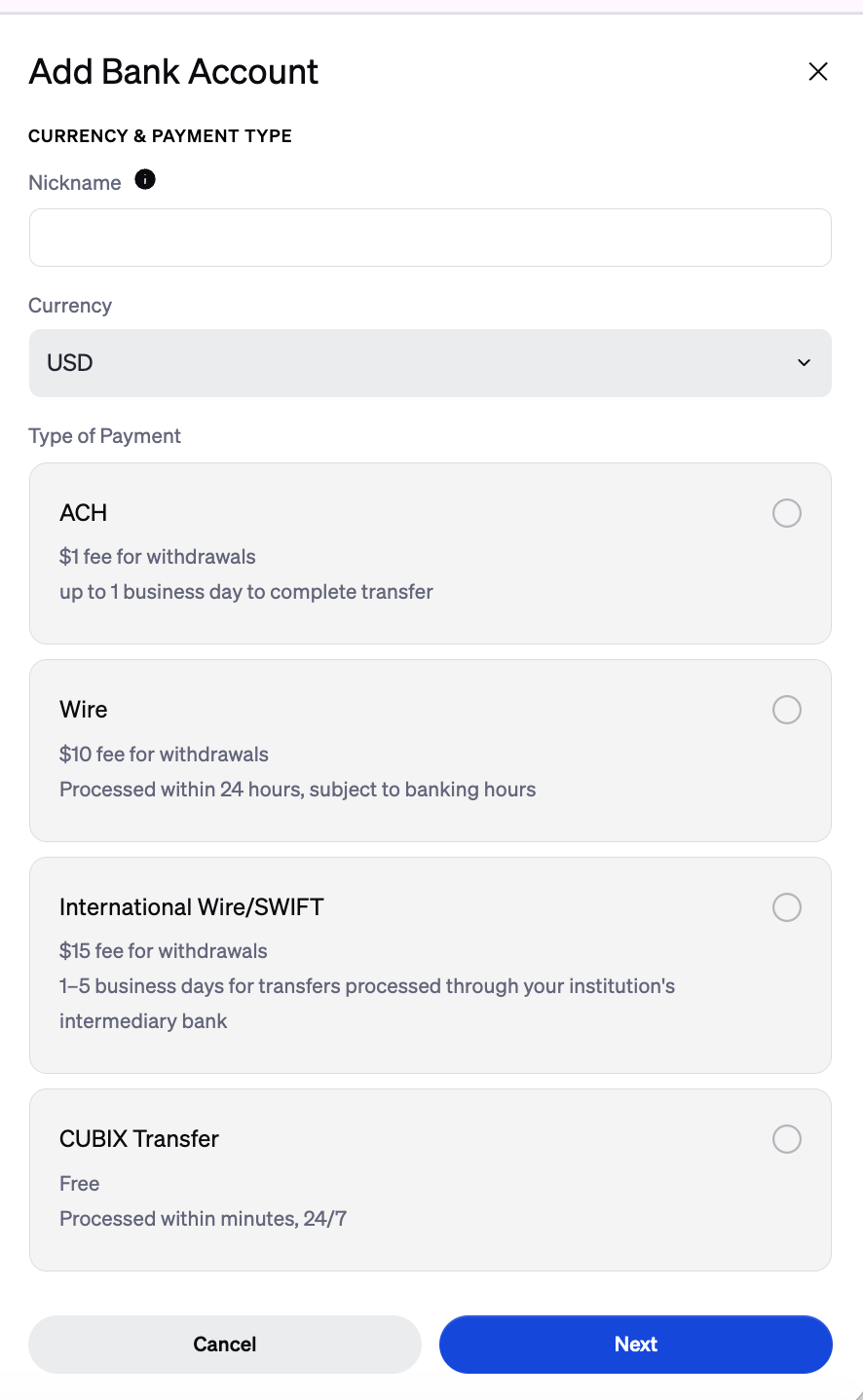
ACH Transfers via Plaid
Bank accounts are linked through Plaid. If your bank account is rejected, you will be notified via email. ACH transfers are subject to deposit and withdrawal limits.
Deposits
The default limits are:
Daily: $500
Weekly: $2,000
Withdrawals
Withdrawn funds are typically available after 5 business days from the date the withdrawal is initiated. During this time, funds are placed on a temporary hold while BitGo verifies the legitimacy of the transfer and ensures there are no issues with the transaction.
Was this article helpful?
That’s Great!
Thank you for your feedback
Sorry! We couldn't be helpful
Thank you for your feedback
Feedback sent
We appreciate your effort and will try to fix the article