How to Fund Your BitGo Enterprise with CUBIX Instant Transfers
Institutional customers with a CUBIX account can fund their BitGo enterprise by following the instructions below.
Note: It’s important to include the correct Memo ID to ensure proper crediting of funds. Omitting or entering it incorrectly may delay processing.
Why Use CUBIX
Customers with CUBIX accounts can deposit or withdraw USD from BitGo 24/7/365. This offers a fast and reliable way to fund your BitGo account using your existing CUBIX infrastructure. CUBIX Instant Transfer is only available to clients who have a bank account open with Customers Bank.
Steps to Complete a CUBIX Transfer to BitGo
Add BitGo as a Counterparty in the CUBIX Portal
Log in to your CUBIX portal and add BitGo as a counterparty by searching for BitGo or by adding the following CUBIX ID: 0fb0cf63-b7c1-4e17-916b-b20d00f90ade.
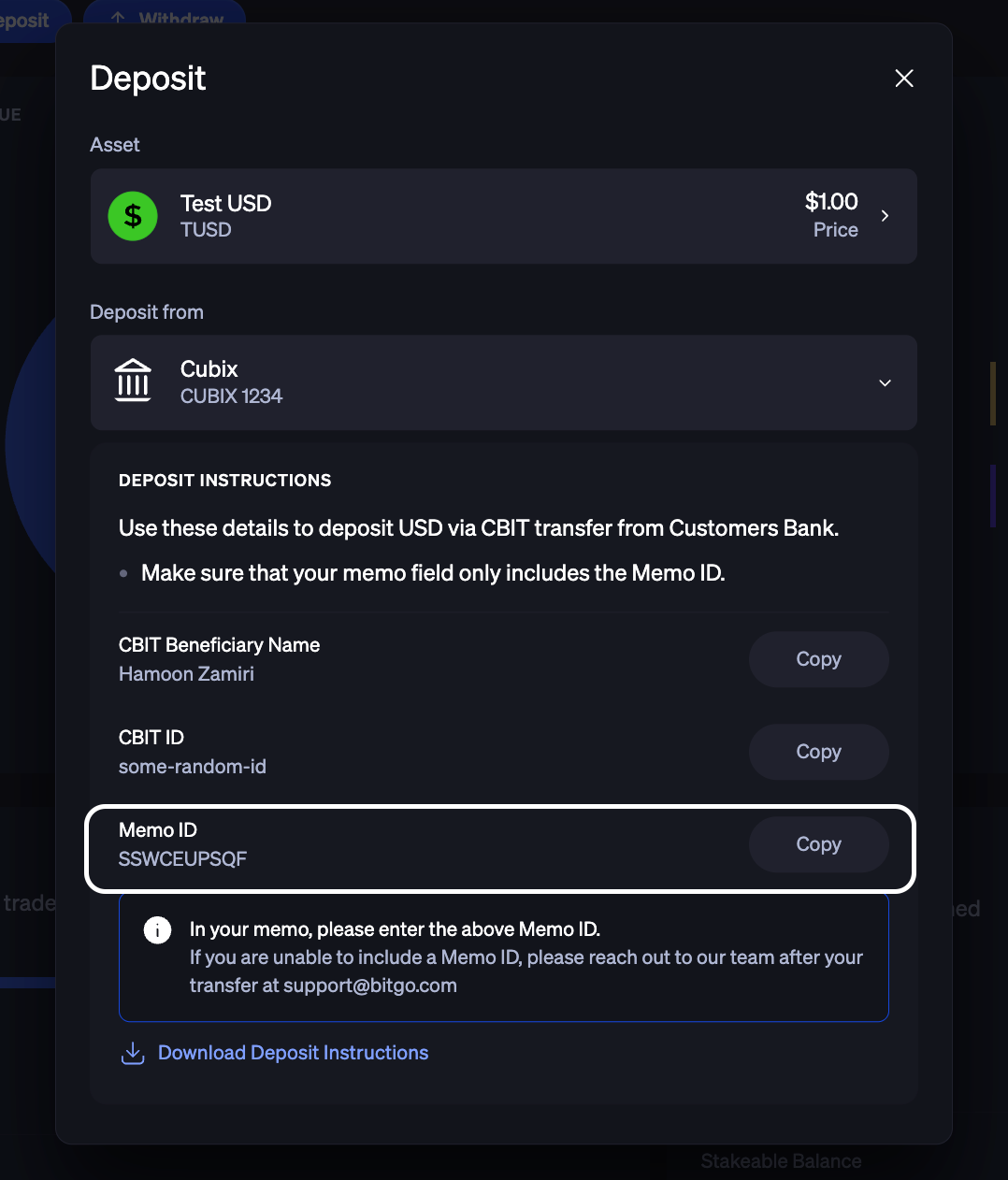
Locate Your Memo ID in BitGo
Log in to app.bitgo.com and navigate to the Deposit button. Click into it
Select your fiat and then click Cbit Transfer
Copy the Memo ID provided. This is required to credit the transfer to your account.
Initiate the Transfer in CUBIX
From the CUBIX portal or CUBIX API, send a USD transfer to BitGo. Make sure to include the Memo ID in the public description field of the transfer.
Funds Will Be Credited to Your BitGo Account
Once the transfer is posted by CUBIX, USD will be credited to your BitGo account within approximately 15 minutes
Go Account Withdrawal Policies
Go Account withdrawals are subject to BitGo-enforced policies for crypto and fiat transactions. For more details, refer to the Withdrawal Policies here.
Was this article helpful?
That’s Great!
Thank you for your feedback
Sorry! We couldn't be helpful
Thank you for your feedback
Feedback sent
We appreciate your effort and will try to fix the article