Building Unsigned Wallet Sweep Transactions For Cold Wallets
Note: This article applies to self-custody cold (self-managed cold) wallets only. For hot wallet disaster recovery, see the Non-BitGo Recovery flow in the Wallet Recovery Wizard (WRW) article here.
This is a disaster recovery method where an unsigned transaction is created using the Wallet Recovery Wizard (WRW), an offline BitGo application. The unsigned transaction must then be signed offline using your user and backup key materials via the Offline Vault Console (OVC) to produce a fully signed, broadcastable transaction.
The wallet sweep will pull all funds out of the recovery wallet and send them to a destination address.
Important: Always download the latest version of the WRW before performing a recovery.
Step-by-Step Instructions
Step 1: Open the Wallet Recovery Wizard and select Build Unsigned Sweep. To download the latest version of Wallet Recovery Wizard, visit this link
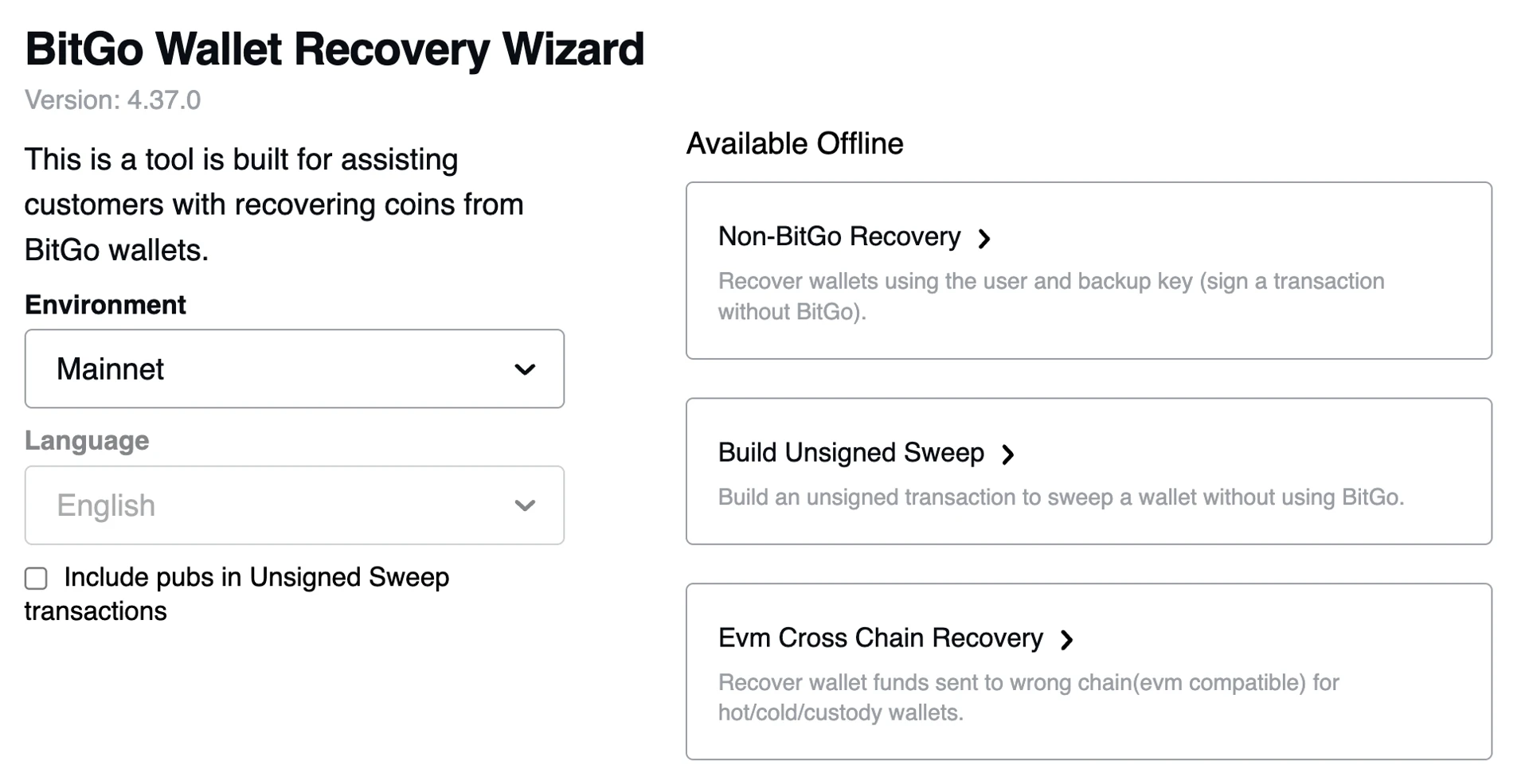
Step 2: Navigate into the correct environment by selecting "Testnet" or "Mainnet"
Step 3: Select your currency from the dropdown. The dropdown reflects all currently supported coins and tokens. Fill all the necessary details. Most of details would be present in Keycard and UI.
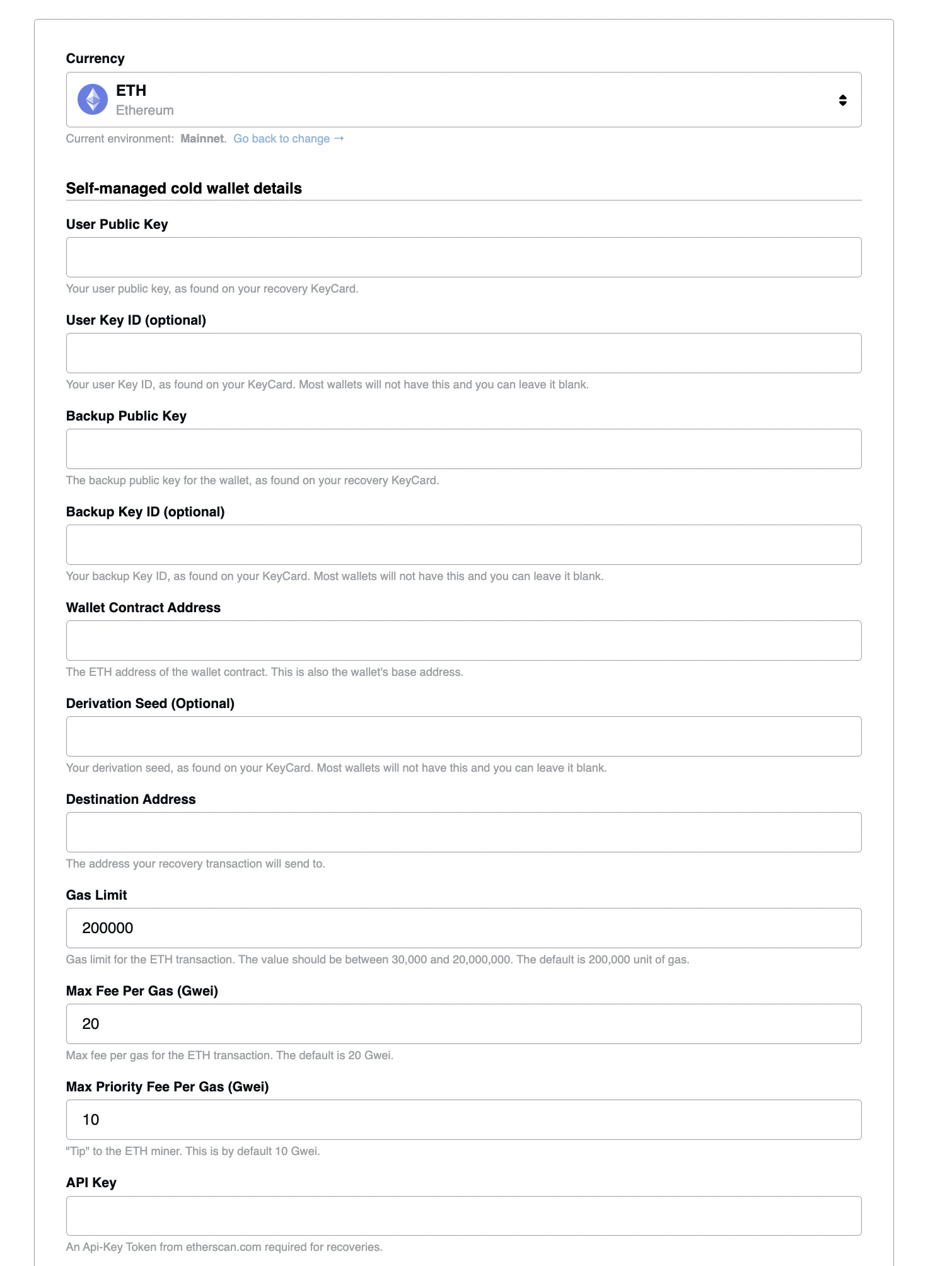
Step 4: If your wallet is a TSS/MPC wallet, check the "Is TSS recovery?" checkbox at the top of the form to ensure that the recovery is for MPC wallet and is of type TSS. Then, click "Recovery Funds"
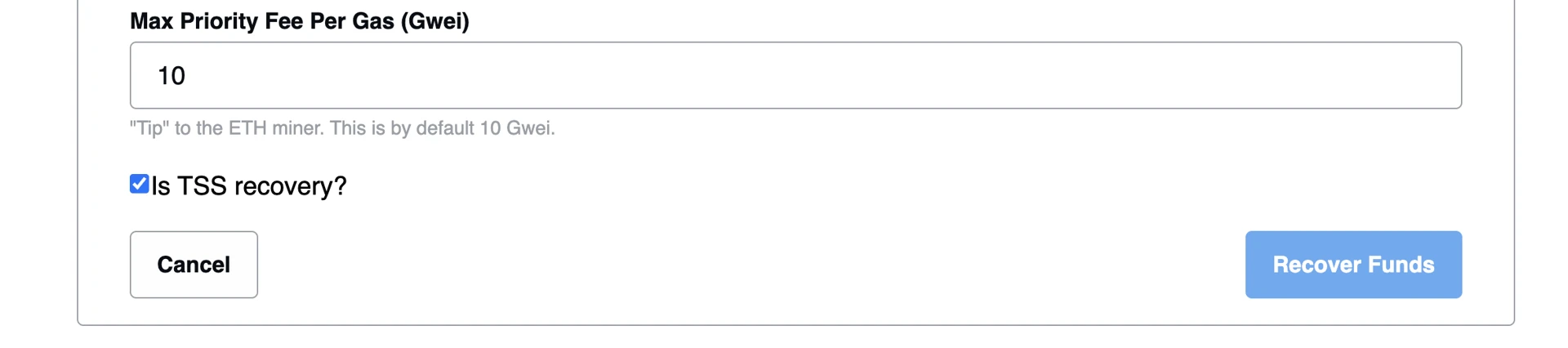
Step 6: Click "Recover Funds" and you will obtain a json file which can be downloaded. This is just the Unsigned Sweep file which needs to be partially signed. For doing the Signing process you will require 2 instances of OVC (Offline Vault Console). The diagram below highlights how you can open two instances of OVC.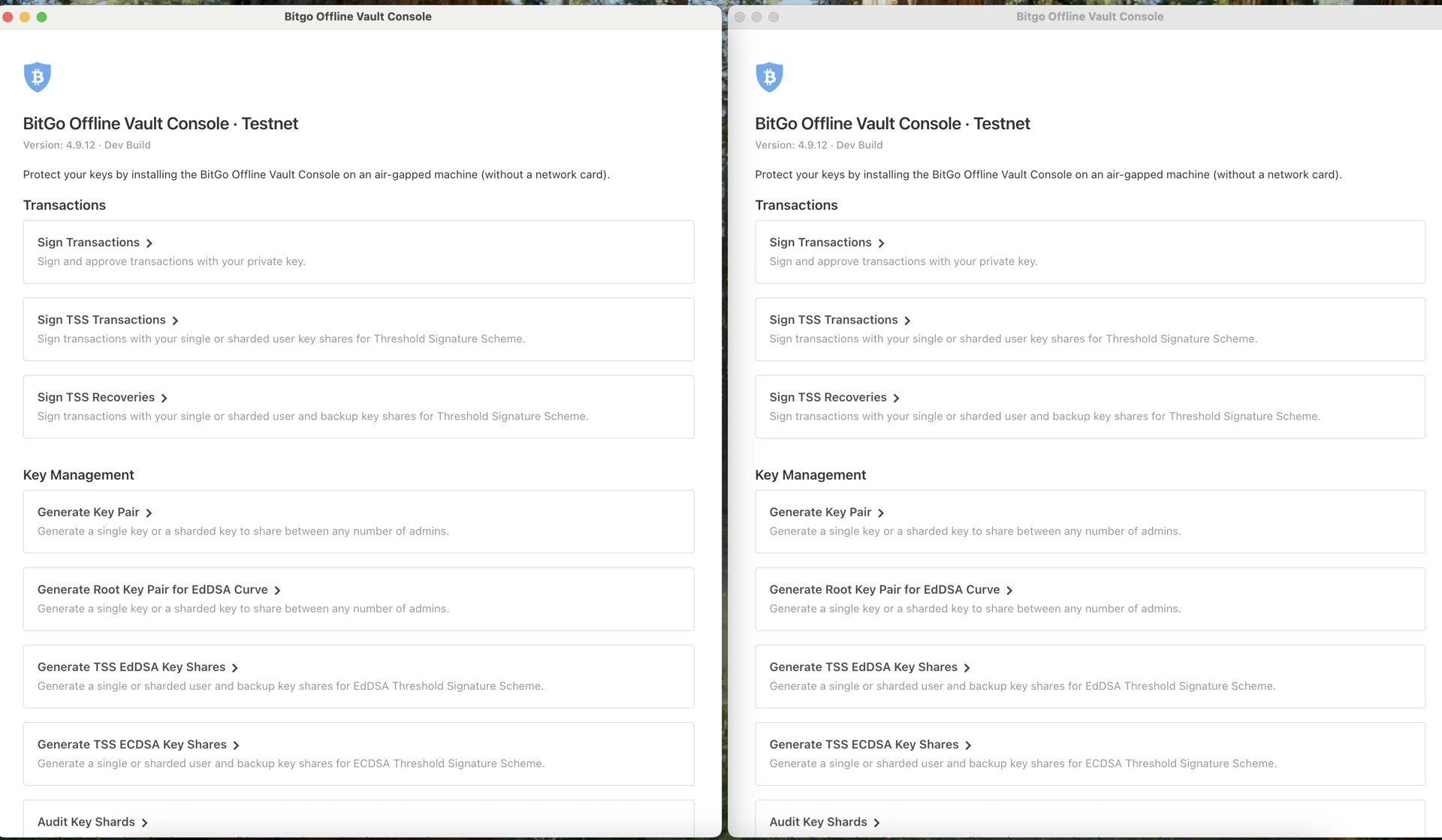
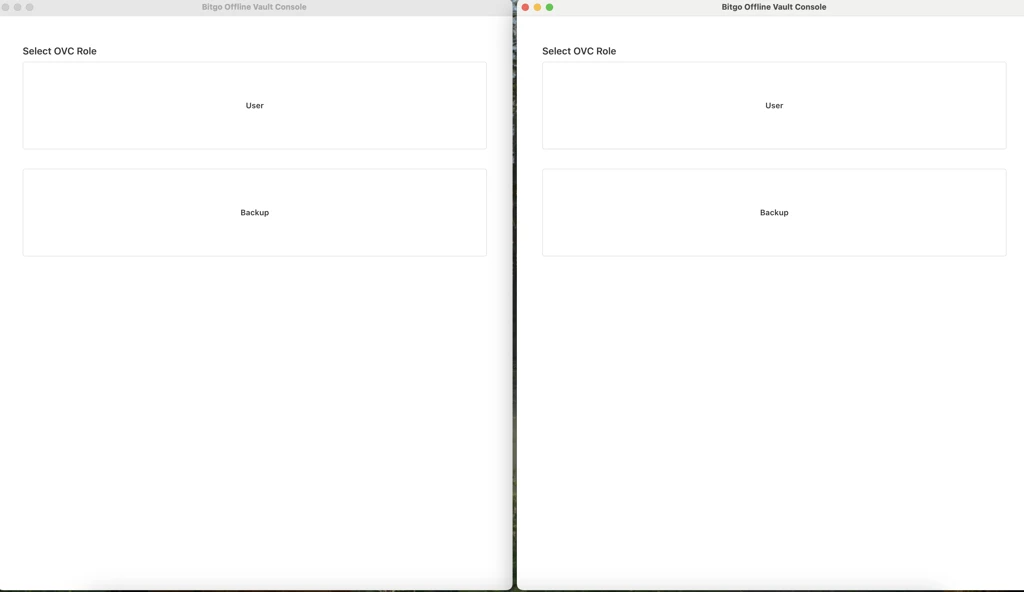 Now select User in any one Instance and Backup in the other.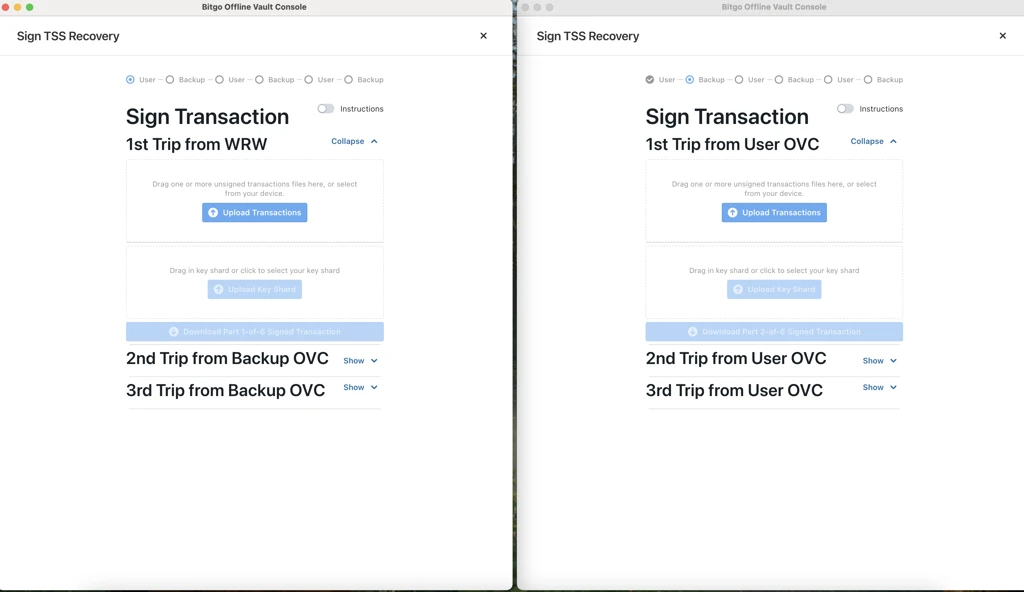
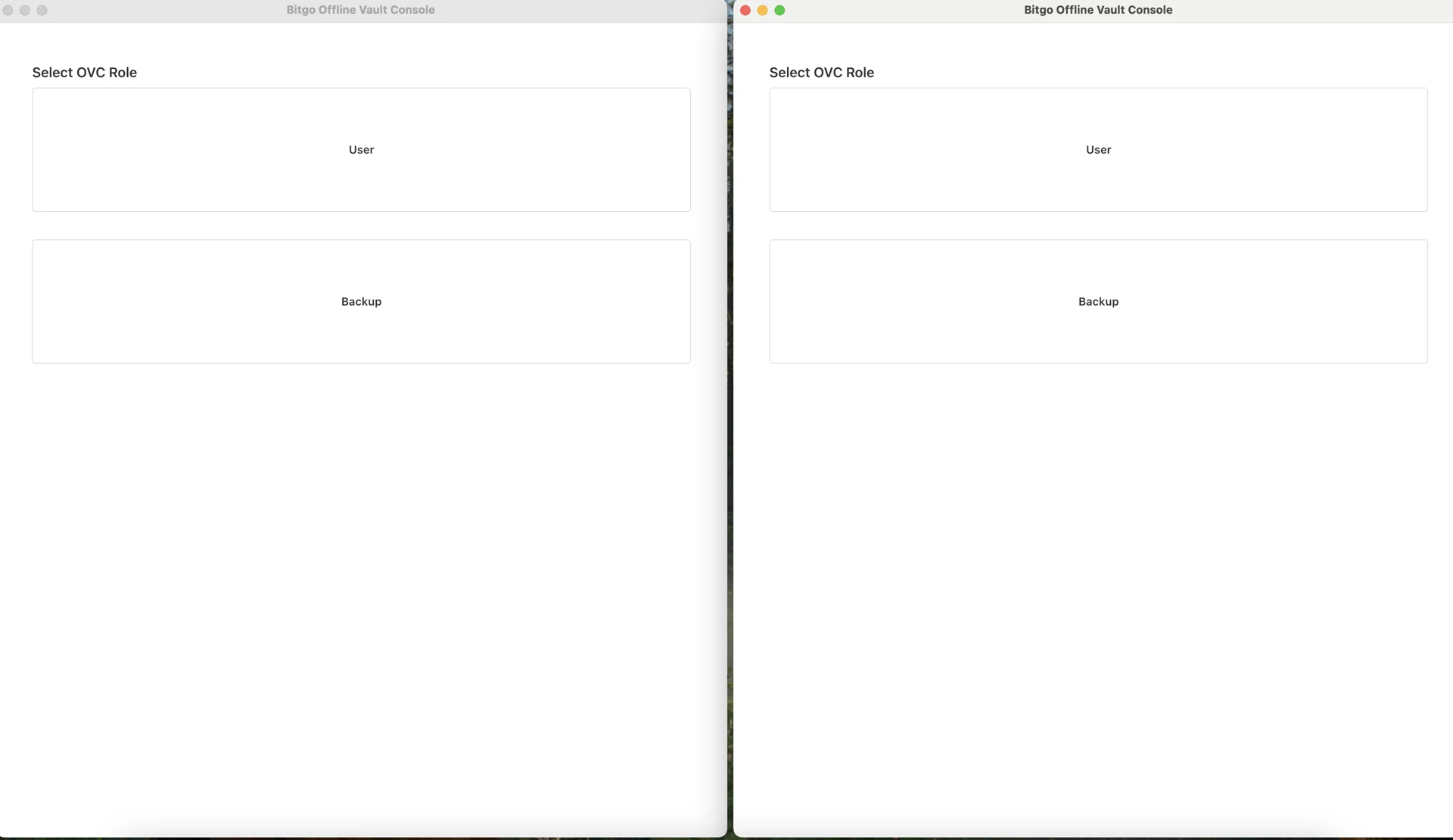
Step 8: Now select User in any one Instance and Backup in the other.
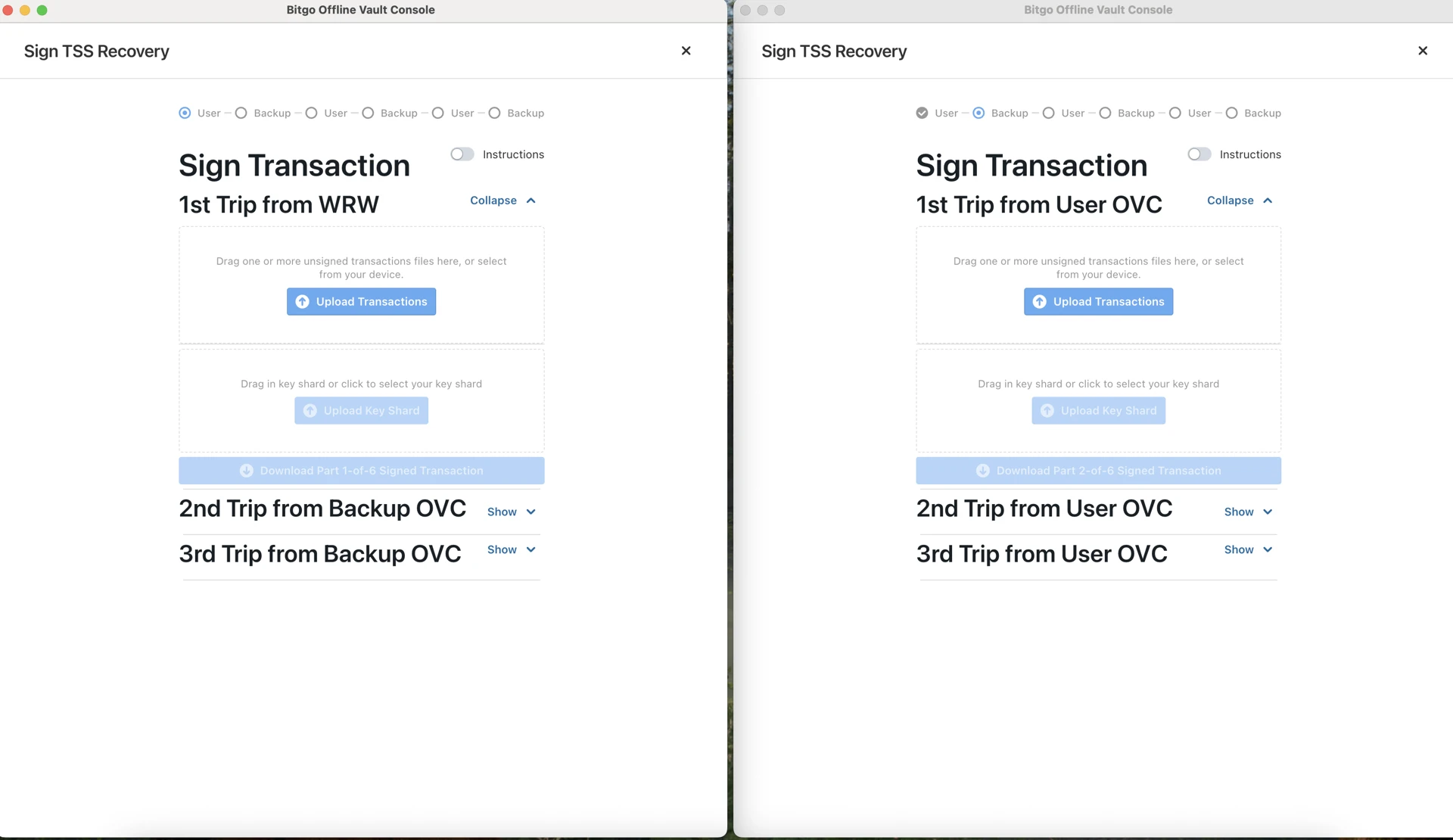
Step 9: Now in User OVC, upload the downloaded JSON file obtained in Step 6. Along with that you will also be prompted to upload user-private-key (Key Shard) (This is downloaded during creation of Self-Custody Cold Wallet) and it would also ask for the Password of wallet to decrypt the user-private-key.
Step 10: Provide correct credentials to ensure that there are no errors.
Step 11: Once this step is correctly done. You will be prompted to download first partially signed transaction. Download and store it securely.
Step 12: Navigate to Backup Instance of OVC and you will find Upload Transactions, here upload the first partially signed transaction and also you need to upload backup-private-key (Key Shard) (This is downloaded during creation of Self-Custody Cold Wallet) and it would also ask for the Password of wallet to decrypt the backup-private-key.
Step 13: Once this step is correctly done. You will be prompted to download second partially signed transaction. Download and store it securely.
Step 14: Now go back to user OVC and now upload second(2) partially signed transaction and further you will be prompted to download third(3) partially signed transaction. Download and store it securely.
Step 15: Now go back to backup OVC and now upload third(3) partially signed transaction and further you will be prompted to download fourth(4) partially signed transaction. Download and store it securely.
Step 16: Now in the final step navigate to user OVC and now upload fourth(4) partially signed transaction and further you will be prompted to download fifth(5) partially signed transaction. Download and store it securely. Now you can securely close both the instances of OVC and get back to navigation page.
Step 17:
a. Signing is done. Now we have to navigate back to WRW.
b. Please ensure that you name the partially signed transactions correctly else it will create conflicts or confusion.
Step 18: Now open WRW instance from which you had done the Unsigned Sweep Recovery.
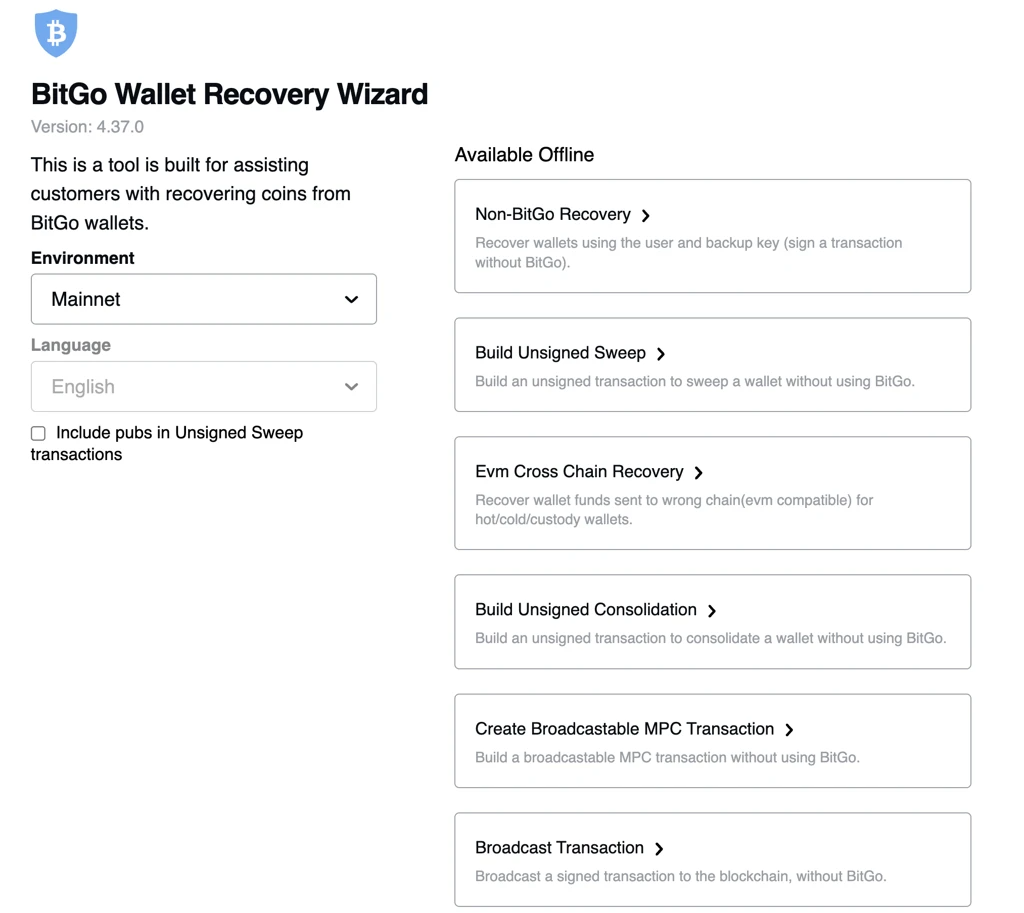 Step 19: Now click on Create Broadcastable MPC Transaction.
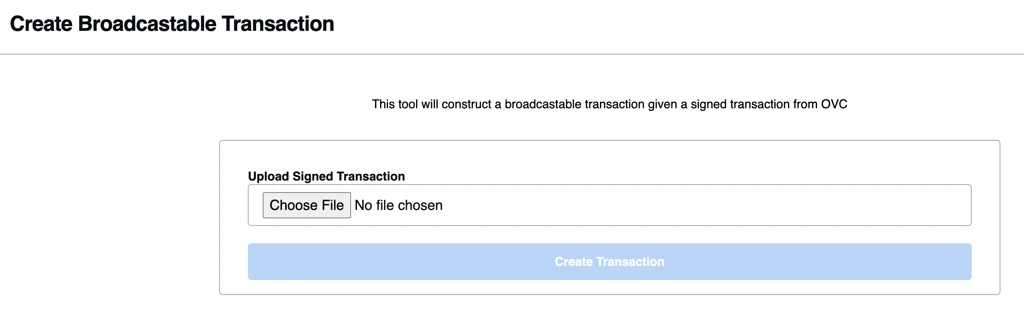
Step 20: Now try to upload fifth(5) partially signed transaction obtained in Step 22. Once this is uploaded click on Create Transaction.
Step 21: Now you will obtain a Broadcastable JSON file which can be downloaded. Download it in any specific location.
Note: This is specific to coins which support MPCv2 recovery
Once recovery is done, in the downloaded JSON file downloaded you will find a txhex (Transaction Hex ) copy it and try to broadcast that txhex on chain and if it is successful it would get reflected in UI within some time.
Note: Please ensure that you broadcast it correctly at once because it would sweep entire funds at once and trying to broadcast it multiple times creates room for errors.
Was this article helpful?
That’s Great!
Thank you for your feedback
Sorry! We couldn't be helpful
Thank you for your feedback
Feedback sent
We appreciate your effort and will try to fix the article