DeFi from Custody
Narval is an institutional DeFi gateway that enables BitGo clients to interact with approved decentralized finance protocols directly from qualified custody. Narval creates a secure bridge between BitGo's custody infrastructure and DeFi applications — with built-in transaction decoding, contract whitelisting, and governance controls built for institutional workflows.
To access approved DeFi protocols via the BitGo/Narval integration follow these steps:
Contact your CSM or Sales rep to enable the dAppConnections organization license
Once active, go to Admin Console and create a DeFi role with the DeFi permissions. Click Create Role and select the “DeFi” box.
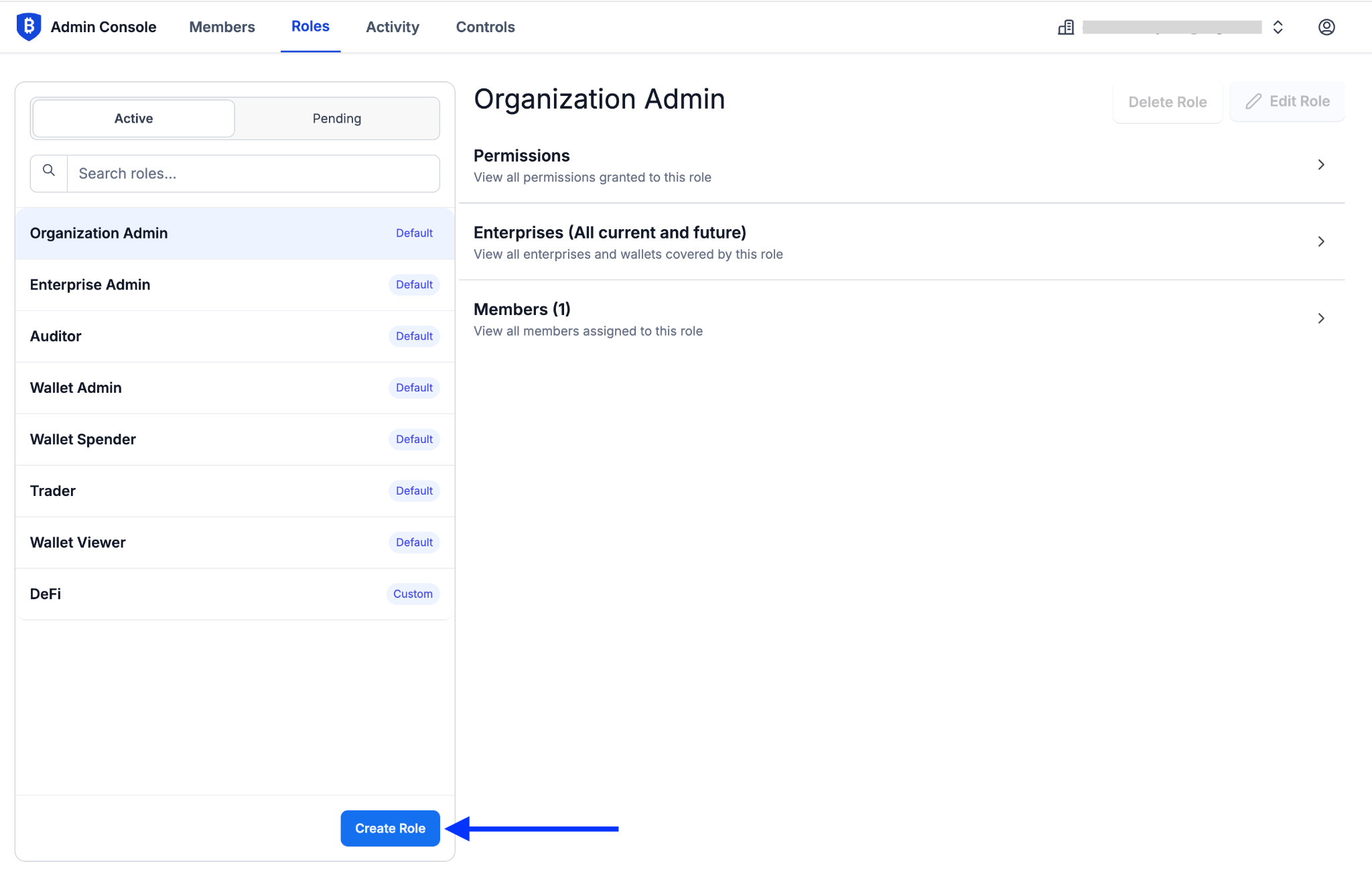
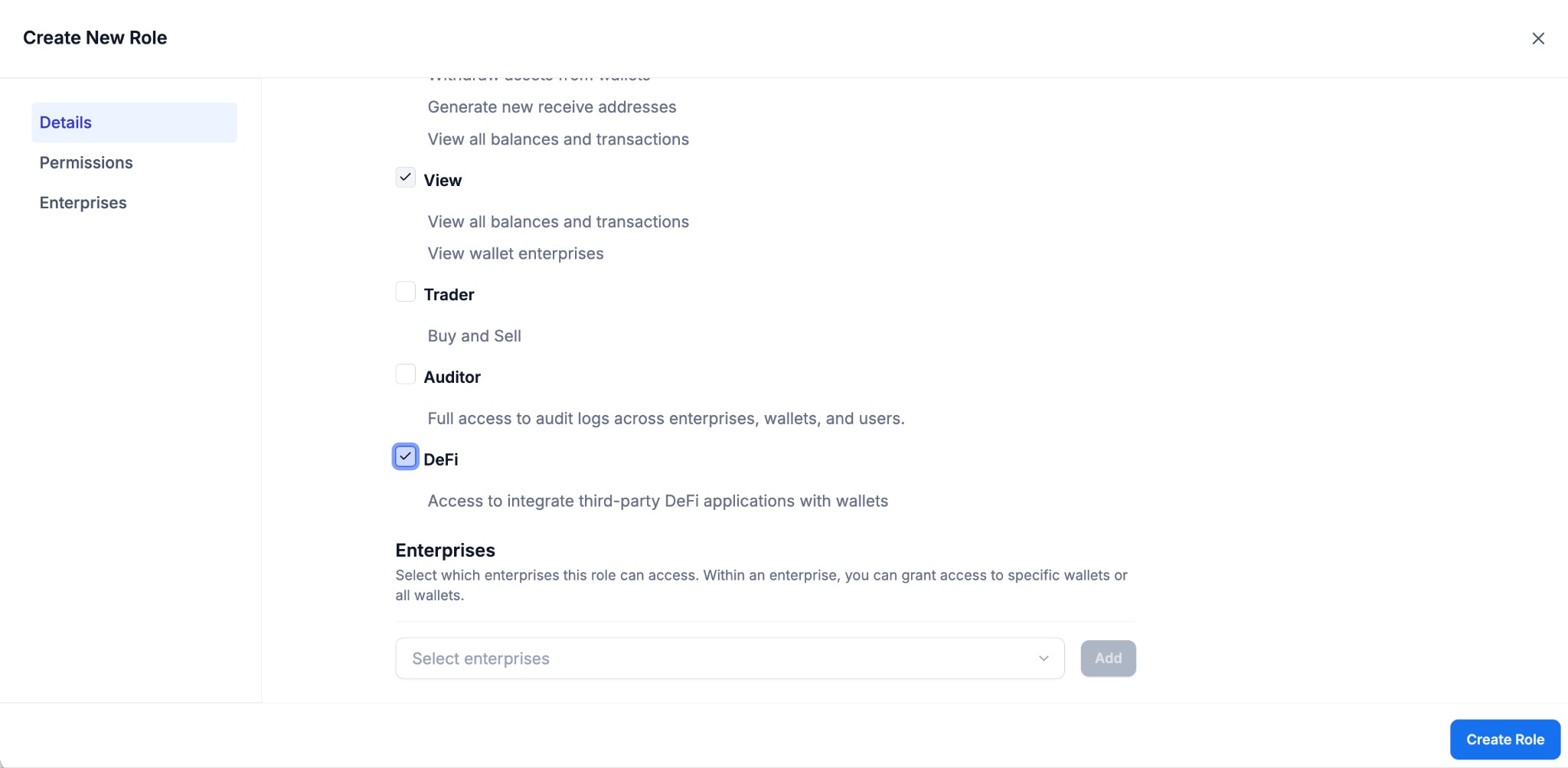
Choose which Enterprises you wish to have access to DeFi connectivity. Click Create Role.
Assign the DeFi role to relevant members of your organization.
Ensure your wallet is prepared to interact with the dApp. For example, confirm that it is on the correct chain, it holds the desired balance of assets, and that your gas tank is funded, if applicable.
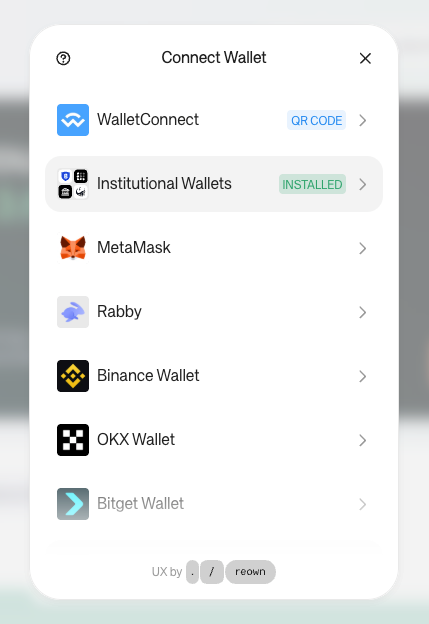
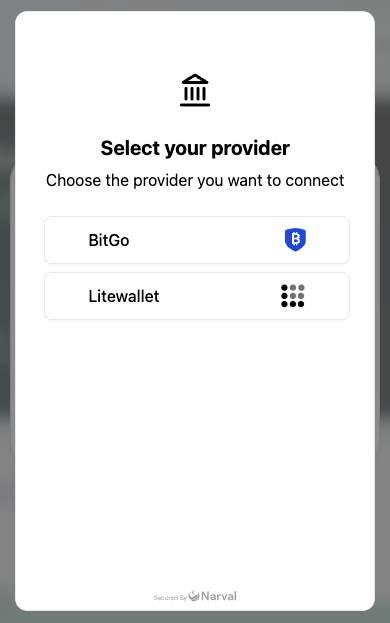
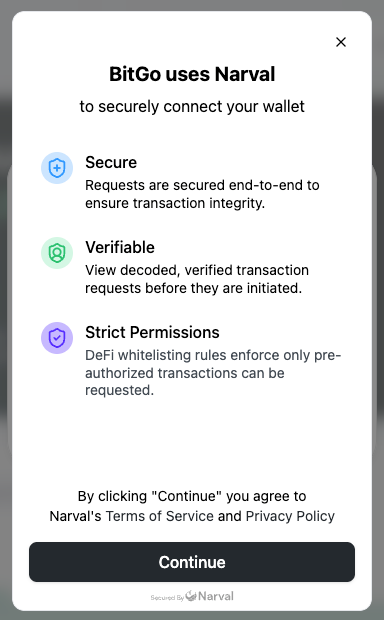
Go to the dApp (e.g., Aave, Spark) and click Connect Wallet. Select Institutional Wallets to connect via Narval. Then, select BitGo.
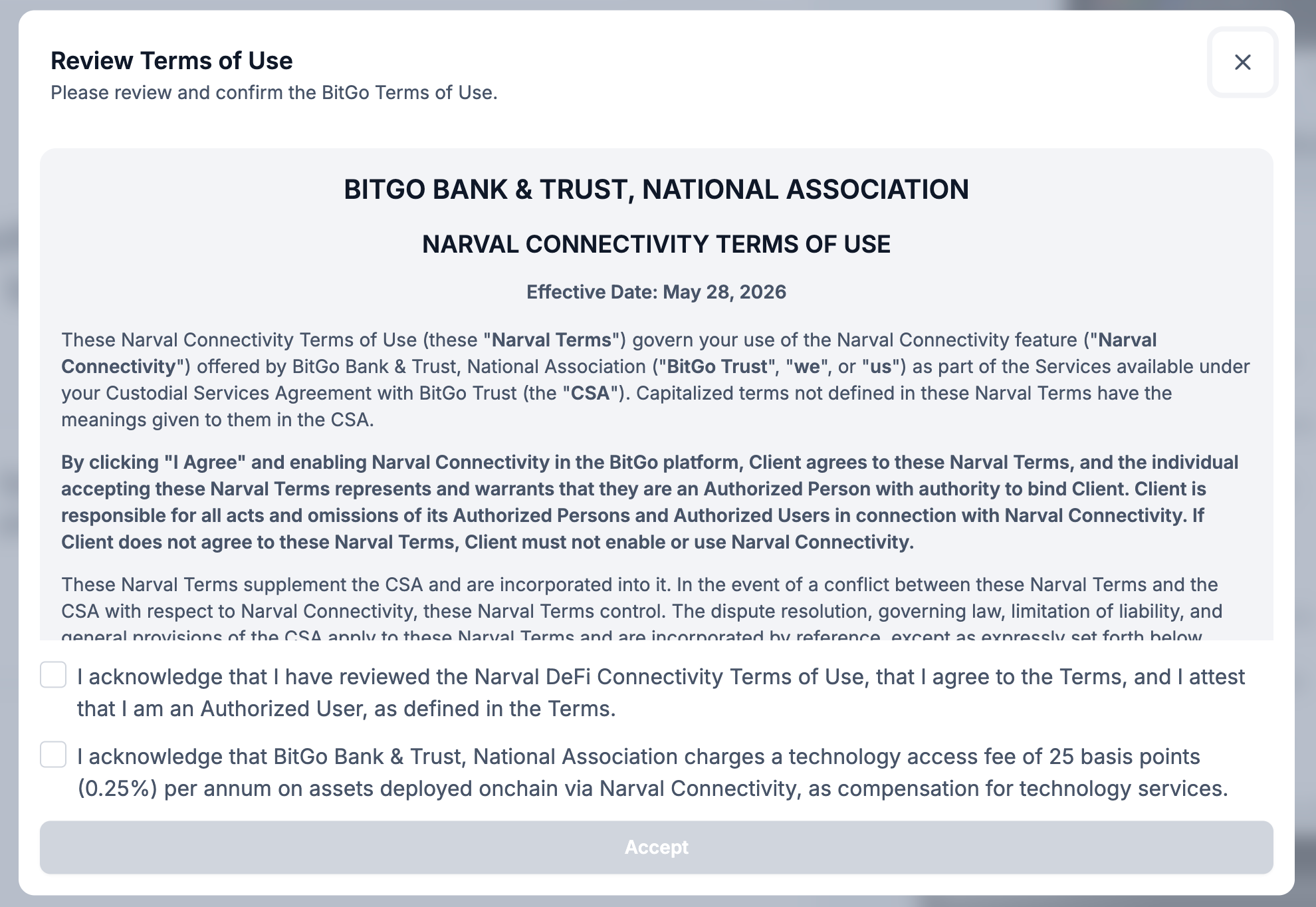
Accept the Narval’s Terms of Service and Narval DeFi Connectivity Terms of Use.
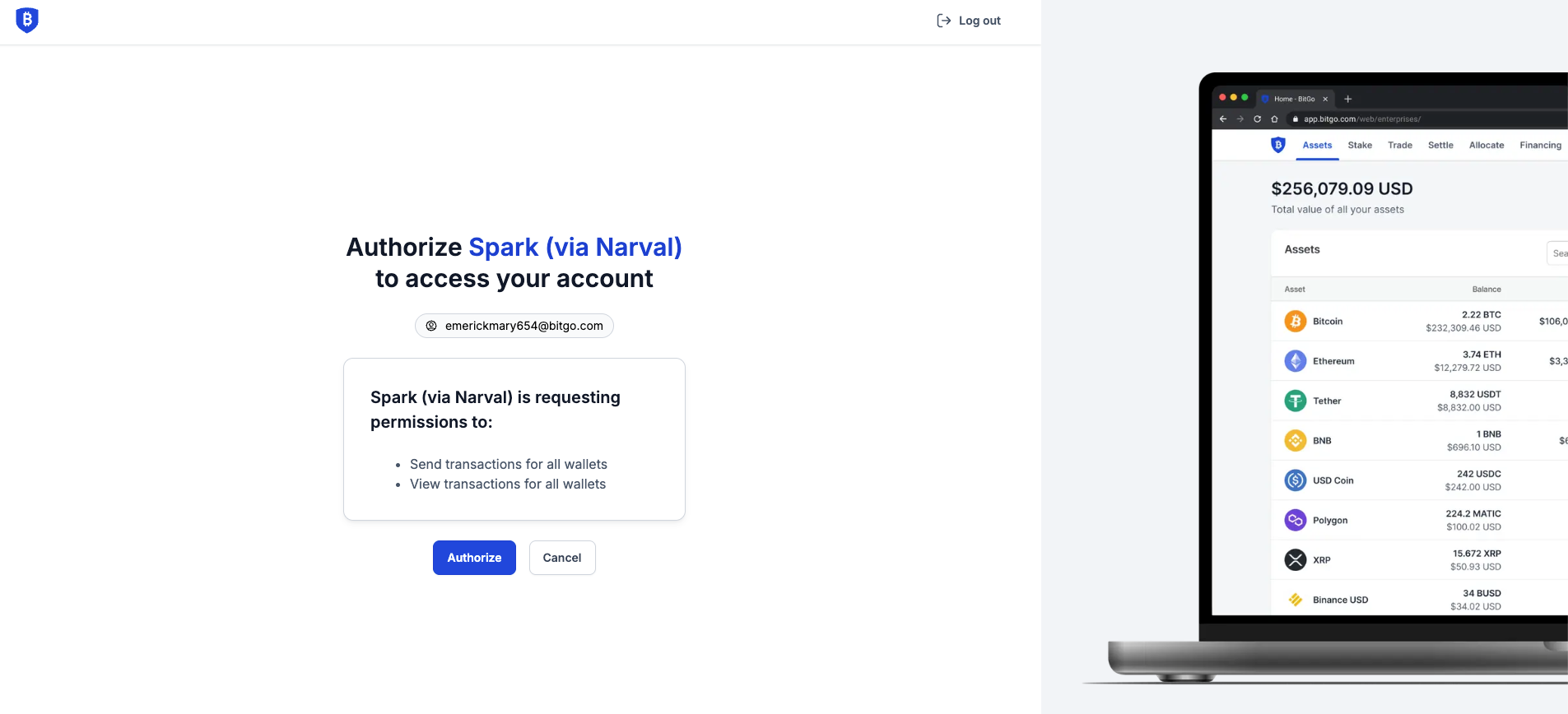
You will be redirected to BitGo's login OAuth authorization page. The page reads "Authorize Spark (via Narval) to access your account" and displays your BitGo email address. Click Authorize to grant the dApp (via Narval) access to your BitGo account. Click Cancel to abort.
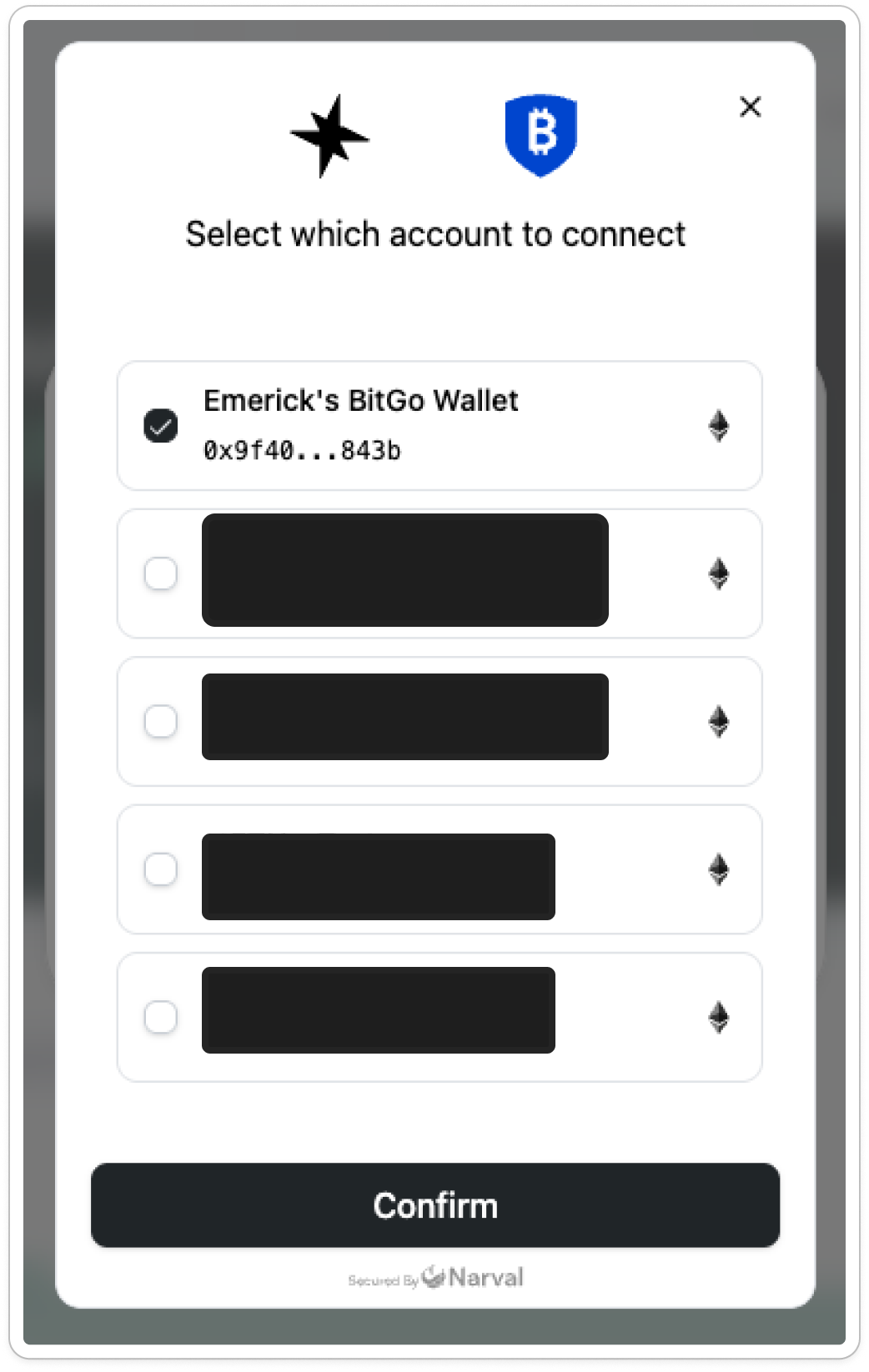
Return to the dApp interface and select which wallet to connect.
Follow the on screen instructions within the dApp interface to deploy your funds to the protocol.
Was this article helpful?
That’s Great!
Thank you for your feedback
Sorry! We couldn't be helpful
Thank you for your feedback
Feedback sent
We appreciate your effort and will try to fix the article