DeFi from Self-Custody
WalletConnect is integrated directly into BitGos self custody hot wallets, giving institutions a secure way to access DeFi for lending, swapping, claiming, governance, and other Web3 applications across major EVM networks and Solana without leaving the BitGo environment.
Clients can connect to dApps, execute transactions, manage approvals, and participate in onchain activity using the same self custody wallets and policy controls they rely on today.
To access DeFi protocols via the WalletConnect follow these steps:
Create or select a BitGo self-custody hot wallet.
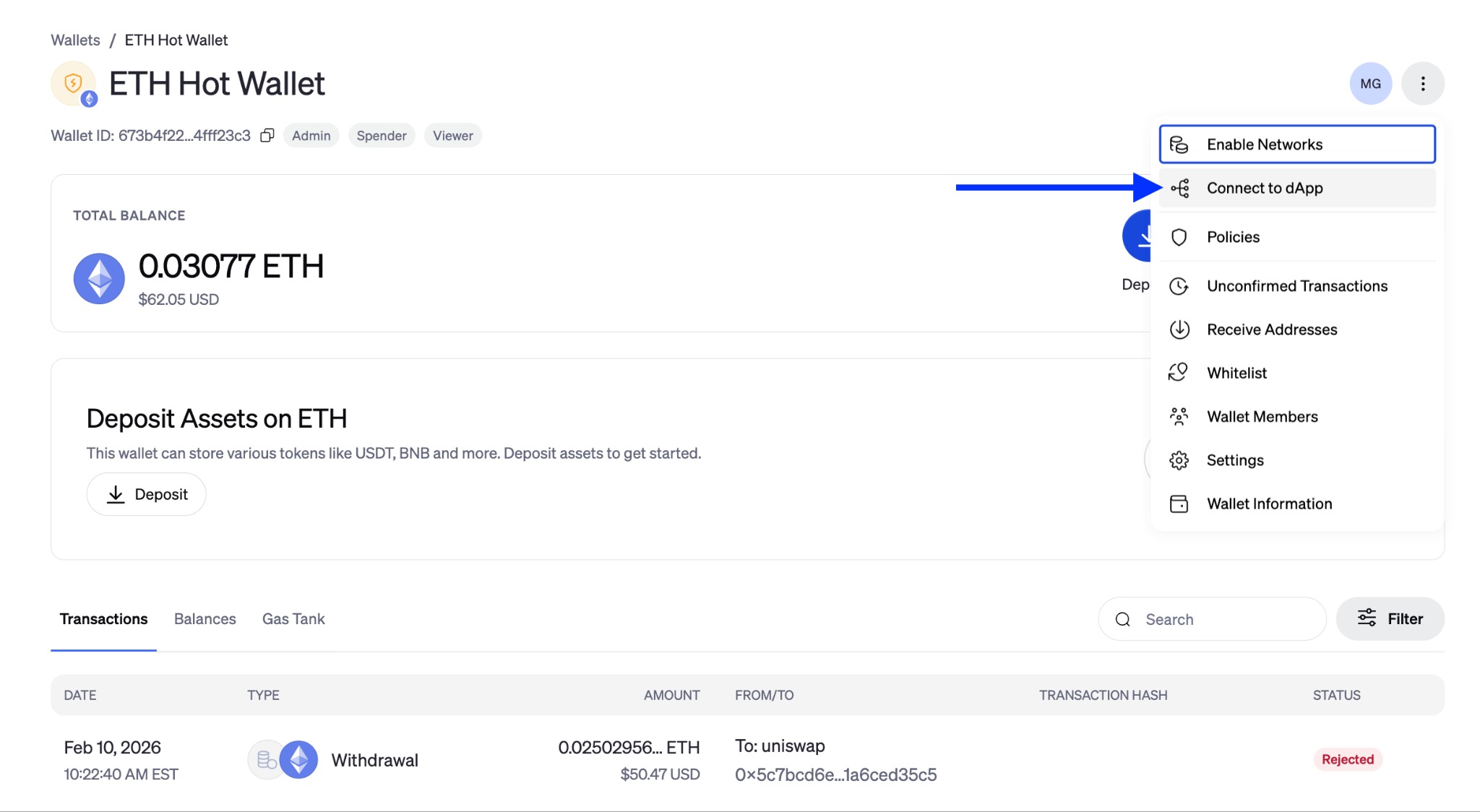
Click the three dots in the top right of the wallet screen and click Connect dApp.
In a separate tab in your browser, navigate to the desired dApp. Click Connect Wallet. Choose WalletConnect. (Note: This may be listed under Other Wallets)
Scan or copy the WalletConnect URI from the dApp and enter into connection screen in BitGo. Click Connect.
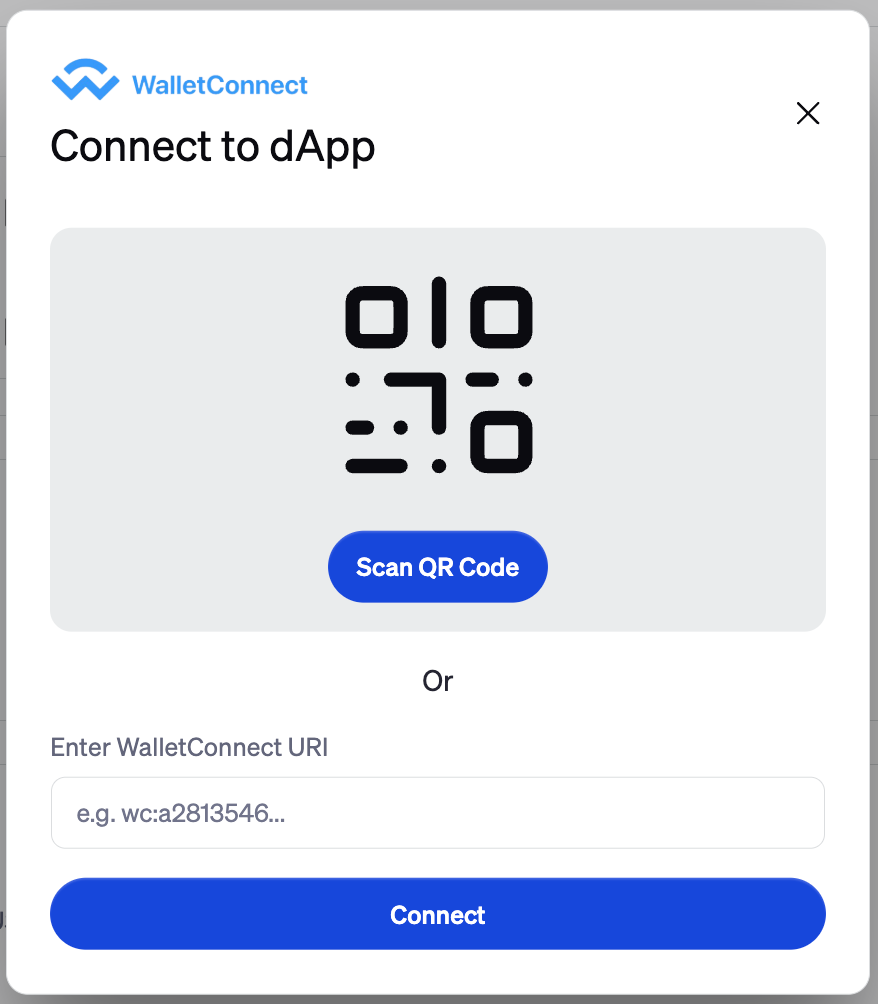
Review and Approve the connection request in BitGo (this establishes the secure session).
Return to the dApp and create a transaction.
Head back to BitGo to review and approve it through your BitGo policy workflow.
View positions and activity directly on the dApp while maintaining full control through BitGo.
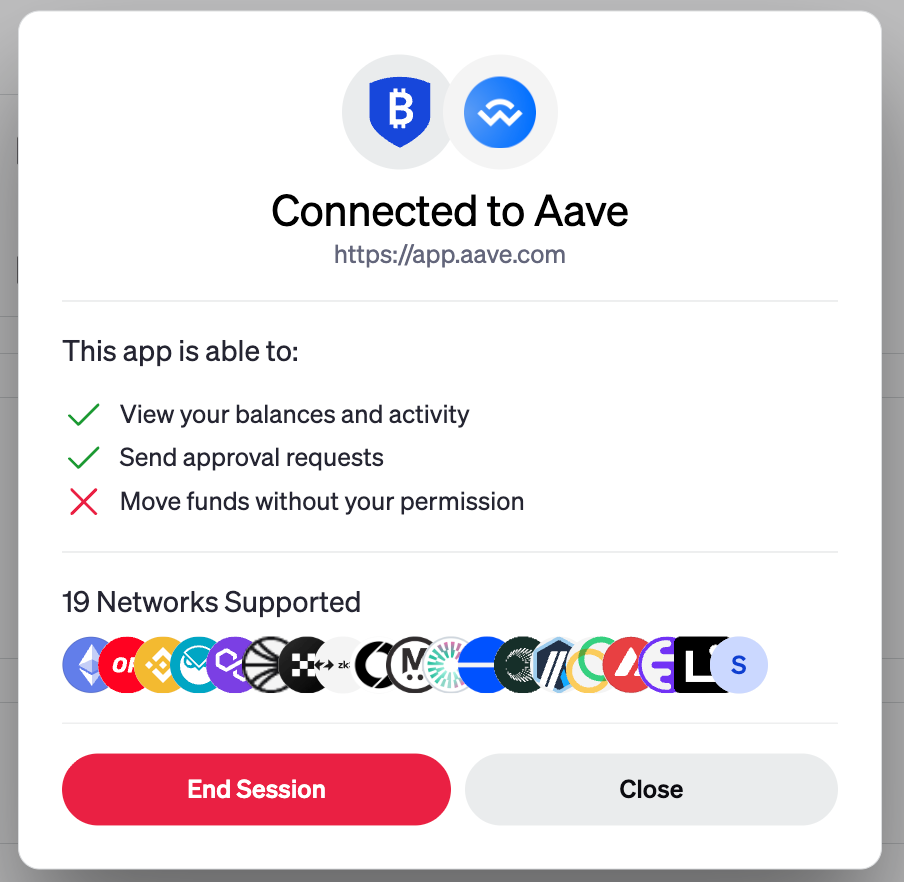
To disconnect your wallet from a dApp, return to the three dots in the top right of your wallet screen and click Connected to dApp. Click End Session.
Was this article helpful?
That’s Great!
Thank you for your feedback
Sorry! We couldn't be helpful
Thank you for your feedback
Feedback sent
We appreciate your effort and will try to fix the article