Trade Automations (Auto Liquidation)
In the Automations section of the Trade tab you will be able to establish rules based trading features such as Auto Liquidation.
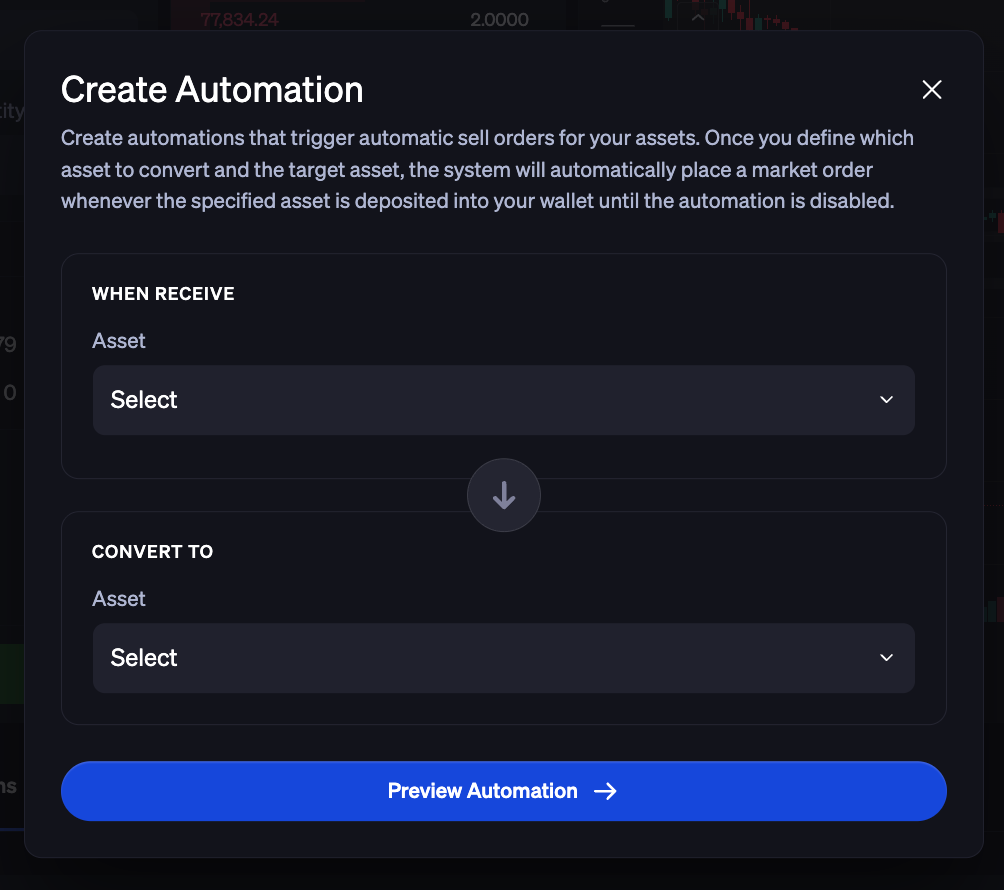
With Trade Automations clients can set up specific rules tied to designated assets and wallet addresses. Once a deposit is received and confirmed at a wallet address set up with Auto Liquidation (Automations), market orders will immediately be placed to convert digital assets into USD, USDT or USDC.
You will not need to manually place sell orders in the platform or via API. Proceeds can then be held, transferred or withdrawn as needed.

Creating a Trade Automation
Begin by clicking on + Automations. You can then configure your Trade Automation by selecting your When Receive Asset, Receive Address, and Convert To Assets.
Once you’ve confirmed the details of your new automation, enter your wallet password and click Save Automation. A message in the platform will confirm that your automation was successfully added.
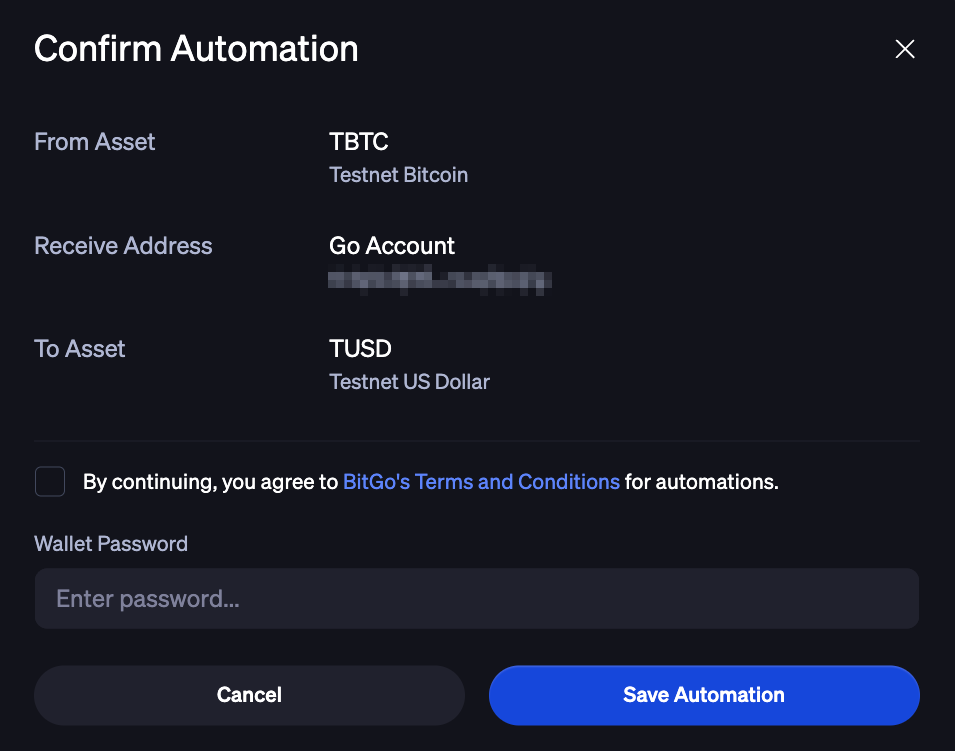
Note: One automation can be created per address.
Viewing Existing Trade Automations
Navigate to Trade > Automations. This page displays your active and inactive (deactivated) automations.

Click an automation to view the execution details related to that automation. To view additional details and timeline of actions, click into the execution. You are able to see:
When the deposit was detected and confirmed
The deposit quantity
The type of the trade order
The status of the trade order
Deactivating Existing Trade Automations
Navigate to Trade > Automations. Find the automation that you wish to deactivate and click on the Status on the right side of the automation’s row. The option to deactivate the automation will pop up.
You will see a message appear that confirms you have successfully deactivated your automation. To reinstate a deactivated automation, a new automation will need to be created.
Was this article helpful?
That’s Great!
Thank you for your feedback
Sorry! We couldn't be helpful
Thank you for your feedback
Feedback sent
We appreciate your effort and will try to fix the article