Email Notifications
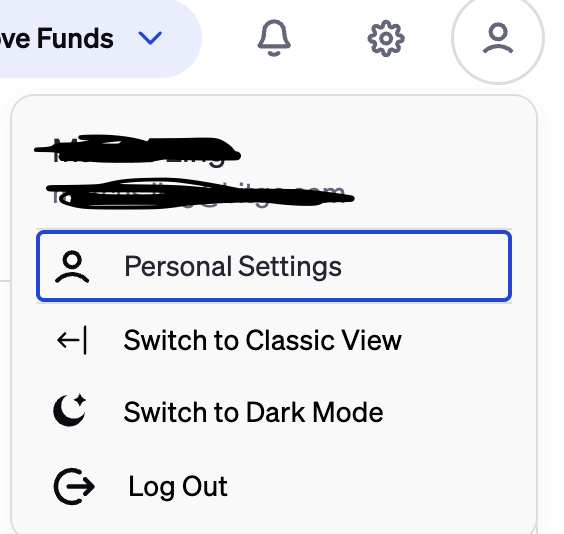
To customize your email notifications, go to Personal Settings > Email Notifications

Below are the notifications users can toggle on and off
Access: Login, device, and session activity, authentication changes (e.g., 2FA), plus security alerts tied to account access.
Access Tokens: API tokens and credentials: creation, rotation, expiration, revocation, and suspicious token usage alerts.
Approval Completed: Confirmations of finished approvals: what was approved/rejected, when it completed and by whom.
Approval Required: Actions waiting on you: approvals you need to review and approve/reject (often time-sensitive).
Bank Accounts & Fiat Operations: Fiat rails activity like ACH/wires, bank account changes, and reconciliation updates.
Financing: Borrow/lend and credit activity: loan status, interest notices, collateral events, and financing operations.
Go Network: Go Network transfer and settlement updates: statuses, confirmations, and participant/route notifications.
Identity: Verification and identity-related events: KYC status, and profile changes.
OES: Off-exchange settlement updates: settlement status, exposure/collateral signals, and OES workflow notifications.
Reports: Scheduled and on-demand reports, statements, exports, and report generation status.
Trade: Order lifecycle updates: order status, completion, cancellations, and trade-related notices.
UMS: Organization and user management: role/permission changes, user provisioning, and admin-level account updates.
Wallet Notifications: Wallet activity alerts: incoming/outgoing transfers (all wallet types and assets), confirmations, and balance changes.
Transaction Monitoring: Transaction monitoring and compliance-related notifications.
Staking Rewards: Staking rewards and related notifications.
Treasury Management: Stablecoin and treasury operations: mints, burns, sweeps, allocations, cash/crypto movements, limits, and operational treasury updates.
Stuck Transaction Notification: Alerts when transactions are stuck or delayed and may require attention.
Manage Wallet Notifications: Any changes made here will mute the notifications from a wallet only for you.
Mute Wallet Notifications: No wallets muted
Was this article helpful?
That’s Great!
Thank you for your feedback
Sorry! We couldn't be helpful
Thank you for your feedback
Feedback sent
We appreciate your effort and will try to fix the article