Add 2-Factor Authentication (2FA)
This article explains how to add two-factor authentication (2FA) or a passkey to your account.
To add 2FA, navigate to Personal Settings > Authentication > Add a 2FA Method.
Adding 2FA introduces an extra layer of security to your account by requiring a verification code when logging in, signing transactions, and approving pending requests — separate from your account password.
There are three 2FA methods available:
Time-Based One-Time Password (“Time Window”) — Scan a QR code with your phone to generate time-sensitive verification codes.
Security Key — Use a hardware device such as a YubiKey, plugged into your device's USB port.
Web Authentication (WebAuthn) — Use a supported device and browser. Your device must be registered for WebAuthn. View the list of supported browsers and devices here.
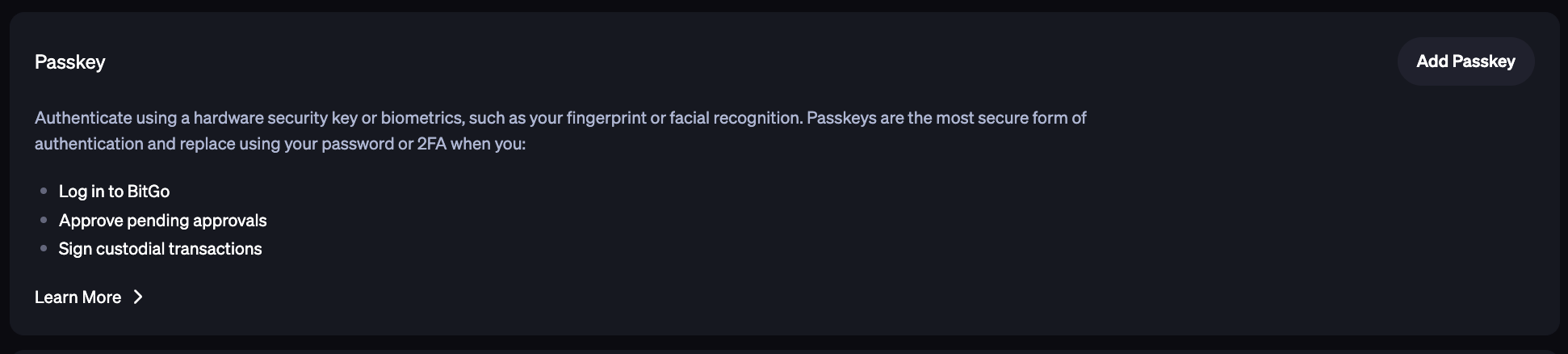
Add a Passkey
Under the Personal Settings > AuthenticationSecurity tab, you can set up passkeys. Passkeys can be used to complete actions like log in to BitGo, approve pending approvals, and initiate custodial transactions.
Was this article helpful?
That’s Great!
Thank you for your feedback
Sorry! We couldn't be helpful
Thank you for your feedback
Feedback sent
We appreciate your effort and will try to fix the article