Enable 2FA and Save Your Recovery Codes Offline
This article explains how to set up Two-Factor Authentication (2FA) during account creation and how to securely save your recovery codes.
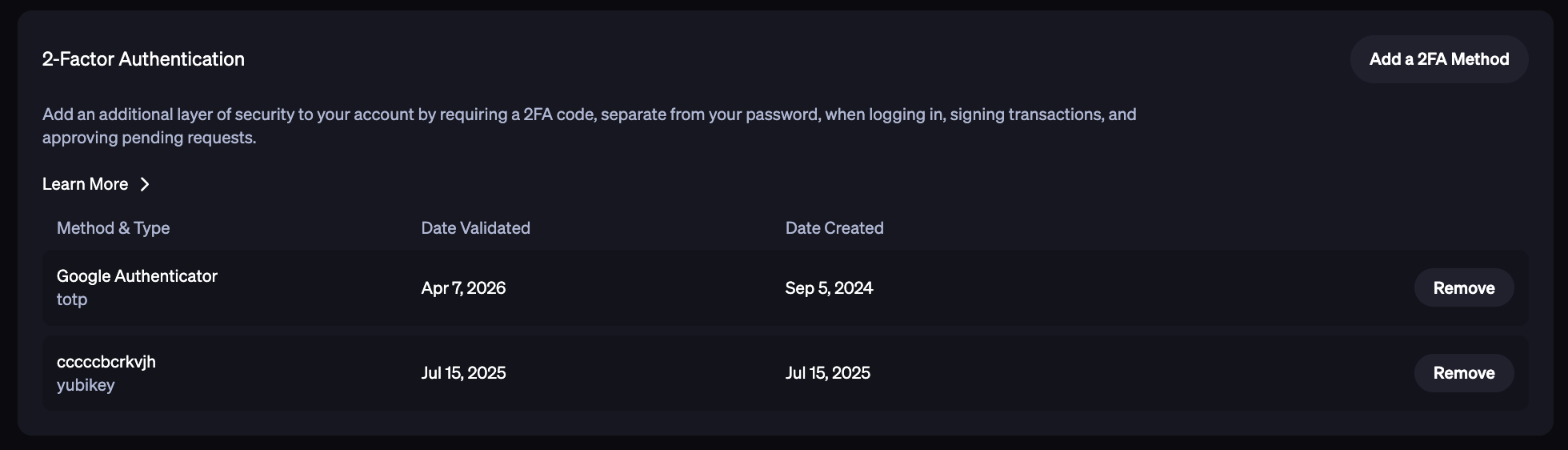
During your BitGo account creation, you will be asked to set up a Two-Factor Authentication for enhanced account security. This will require you to use an authenticator app like Google Authenticator, or a hardware key like YubiKey, to generate time-based, one-time passcodes for logins and approvals.
You’ll also receive one-time recovery codes that are unique to your account. These codes will be automatically downloaded to your device as a text file. For added security, BitGo recommends writing the codes down, storing it in a secure location, and then deleting the file from your device.
To add a 2FA method or remove one, click the Profile icon on the top right corner > Personal Settings. Then go to the Authentication > 2-Factor Authentication.
Was this article helpful?
That’s Great!
Thank you for your feedback
Sorry! We couldn't be helpful
Thank you for your feedback
Feedback sent
We appreciate your effort and will try to fix the article